Once I had the basic parsing working for my project I was able to begin coding in the sound elements that would turn the posts into sound. The RSS library that I found alread listed out each individual post on the page so my task was to take these and develop the code that would build my project. The first thing I did was to create the code that would give the length of each word in the post from which the sound would be produced. By using the space character in a string of text I was able to count how many characters had come before that and so calculate how long each word was. Once this was in place I had to have some sounds to apply to the word lengths.
In order for the audio produced from the project to be in some way understandable I felt that the best sounds to use would be notes from a piano, each note resembling a different length of word. I therefore recorded a set of 12 piano notes from F below Middle C to C above Middle C not including any black keys. I chose not to include the black keys as the audio being generated from the text would mean that there may be a lot of clashes between notes, and with black keys this would be especially recognisable. Therefore in order to make the generated audio as musical as possible I left the black keys out, making whatever tune is produced in the key of C. I chose to only record 12 notes in total as I felt that it would be unlikely for most words used to be any longer than this, mainly homing around 4 or 5 characters, especially being that text speak is often used on platforms like Facebook. Therefore any words included in the text above 12 characters long will not be played in the audio.
Once I had my sound files I was able to begin coding in the link between the word lengths and the notes played. Each note is played one after the other, but I have chosen not to include any other transforms so as not to make the audio too complicated.
Sunday, 25 April 2010
IDAT210 - Facebook, Flash and RSS
The first stage in creating my project is to set up the Facebook location from which the textual data will be retrieved. The easiest way to get the information from this location is using RSS which will check the page for updates and then update xml code accordingly to store the information. This may seem like a simple task but it actually took some development to find all the right elements to make this happen. Originally I planned to make a Facebook group which I could invite people to, which they could then add comments to. Once I had created the group however, I found that Facebook does not provide an inbuilt RSS feed for groups. I therefore went searching for ways in which it would be possible to get a feed from the page and came across two different tools, Yahoo Pipes, and page2rss.com.
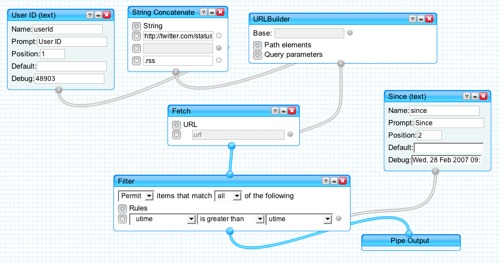
Yahoo Pipes is a small application builder which allows people to create all sorts of programs quickly and easily. One of the applications that I found here was a tool specifically for making rss feeds from Facebook which took the group id of a Facebook group and then created an rss feed for that page. I therefore endeavoured to make this work, but found that it did not seem to work very well for my group and did not provide me with the feed I wanted. I then continued searching for a solution and found page2rss.com.Page2rss.com is a service similar to that of the Pipes app I found but that takes any page url and turns it into an rss feed which checks for updates. I therefore put in the url of the Facebook group hoping that this would be ok. However on adding information ot the group wall I found that the page did not seem to be updating enough, and that when it did it provided me with a lot of extraneous information from page2rss. Being that these two methods were unsuccessful for Facebook groups I began to consider other areas of Facebook which I could use for my project. After searching through different sections of Facebook I discovered that Facebook Pages were an area of Facebook that had inbuilt RSS feeds. I therefore created a Facebook page for my project with its own RSS feed and got the url for this feed so that the data could be parsed into my Flash application.
The next hurdle to overcome was getting this feed properly into Flash. To begin with I just tried using a stndard xml parse to get the rss data into th Flash environment as RSS is in the XML format. However this only seemed to partly work as the important information seemed to be missing from the data and so I began researching into getting RSS into Flash with AS3. After looking at a number of bits of code online I discovered that in AS2 it seemed that you could import RSS similarly to XML but that AS3 may be more difficult. I then came across a RSS/ATOM Flash library for parsing RSS to flash called NewsATOM_cs3 from http://lucamezzalira.com/2009/02/07/parsing-rss-10-20-and-atom-feeds-with-actionscript-3-and-flash-cs4/. This libary is an open source library developed from the as3sydicationlib and made compatible for Flash by Luca Mezzalira, and allows users to parse RSS 1.0, 2.0 and ATOM feeds. I therefore downloaded it and started using it for the base of my project to allow RSS parsing for the Facebook page.
Saturday, 24 April 2010
IDAT210 - The project
So after rethinking my strategy for my project I decided that the project would be similar to the original idea, but also more meaningful. The sound that is created through the project should be live updating to demonstrate some kind of performance, and will be generated through comments that people make on a Facebook page. The people who provide the data will not be told specifically what the project is about, or what to write in the hope that they will decide for themselves and create some kind of conversation out of it. By allowing this to happen the project will comment on the ways in which social networking can create good communication out of a lack of communication.
In terms of the audio produced this will be built to provide the 'sound of social networking' based on the length of words written by people. When posts are added the music will be changed accordingly to ensure the updating element. This project will be built using Flash and the information will be retrieved using RSS.
Wednesday, 21 April 2010
Stonehouse - An Evaluation
The Transforming Stonehouse project has been a year long investigation into the area of Stonehouse, its character, its people and how it can be improved. Ultimately the work that we have carried out over this year can be broken down into three basic sections. These are The Site, The Hertzian Space, and the Final Arduino Project. Throughout these various section the ideas that my group and I were having regarding the transformation of Stonehouse were investigated and developed, eventually leading us to an implementable project that could potentially transform Stonehouse for the better. Throughout the year our ideas have been continually developed whilst also ensuring that we kept to one particular focus. At the beginning of the year we spent time looking at Stonehouse in relation to light, which we then developed further during our long exposure investigation into the concept of communication using light. This then got transferred to our Arduino project which lead us to developing the project we have created.
In terms of our project I am quite happy with what we have managed to achieve with the Arduino. Although we have been unable to implement it properly as of yet this was to be expected and so achieving a working model as we did was good. There are however a few elements of the final project that could be improved or developed further. Firstly the concept of communication through light was good, but I feel our final project strayed slightly from this as the use of text meant that we were communicating regardless of the use of light. The only part light had to play in our project was the use of the projection and so the involvement of light with communication could have been developed further. As well as this the information we used for the project could have been better researched in terms of people's opinions and words that they felt would be opposite to the feel of Stonehouse. The words we used were chosen based on our group's personal opinion of the area and other opinions we had gathered over the year. Although these opinions seemed to be the general consensus we did not find out the opinions of the general public in the area and so we may have misjudged how people feel about Stonehouse.
In terms of further development, one element that could be added to our projection could be some kind of interactive feature. People like to investigate interactive projections much more that non-interactive ones, where parts of the projection interact with their movements, so to get our information across better, and to transform Stonehouse further our projection could be developed to react to people's movements infront of the projection.
Ultimately our final project gives a clear message and works effectively incorporating Arduino technology and ideas we have developed throughout the year. I am happy with the project we have created and feel it is a sucessful development for our site in Stonehouse.
In terms of our project I am quite happy with what we have managed to achieve with the Arduino. Although we have been unable to implement it properly as of yet this was to be expected and so achieving a working model as we did was good. There are however a few elements of the final project that could be improved or developed further. Firstly the concept of communication through light was good, but I feel our final project strayed slightly from this as the use of text meant that we were communicating regardless of the use of light. The only part light had to play in our project was the use of the projection and so the involvement of light with communication could have been developed further. As well as this the information we used for the project could have been better researched in terms of people's opinions and words that they felt would be opposite to the feel of Stonehouse. The words we used were chosen based on our group's personal opinion of the area and other opinions we had gathered over the year. Although these opinions seemed to be the general consensus we did not find out the opinions of the general public in the area and so we may have misjudged how people feel about Stonehouse.
In terms of further development, one element that could be added to our projection could be some kind of interactive feature. People like to investigate interactive projections much more that non-interactive ones, where parts of the projection interact with their movements, so to get our information across better, and to transform Stonehouse further our projection could be developed to react to people's movements infront of the projection.
Ultimately our final project gives a clear message and works effectively incorporating Arduino technology and ideas we have developed throughout the year. I am happy with the project we have created and feel it is a sucessful development for our site in Stonehouse.
Tuesday, 13 April 2010
Stonehouse - The projection finalisation demo
The final stage of our Transforming Stonehouse module was to create a demo of our project idea based on what we had worked on over the year which demonstrated what we would plan to do and how if we were able to properly implement it into our site location.
Our idea for our project was to use arduino connected to a light sensor to provide information as to whether a pedestrian crossing button had been pressed. When a pedestrian presses the button on a crossing a light appears on the console, with either usually a 'WAIT' or pedestrian symbol. By using a light sensor we could tell when this had been switched on and so when the button had been pressed. The data from the light sensor would then both control and trigger a projection. The projection would be run from a Flash app in which the data from the arduino would be sent to the application and then this would be used to modify and control it. If the data said that the light was on a selection of words would be projected linking to our idea of communication through light. The number of words shown would be based on the length of time between the light being switched on. The words shown have been chosen to counter act the current opinions of the Stonehouse area by being more positive, encouraging the viewers to think more positively and so improving how people feel in the Stonehouse area. Below is a video demonstrating how the system works using the arduino with light sensor, a computer and a projector but in a classroom environment as we currently have not be able to implement it due to its requirements:
Transforming Stonehouse Demo from Rebecca Veater on Vimeo.
The plan for the projection would be that only the words would be shown and could be projected either on the nearby wall, or on the floor in front of the pedestrians. As well as making people feel more positive the system is also designed to prevent pedestrians from crossing the road at incorrect times when the traffic has not actually been stopped. Often people press pedestrian crossing buttons but the cross before the traffic has been stopped for them, leaving drivers stopped for no reason. By preventing people from crossing without signal by distracting them with the projection this should help to make the traffic lights and pedestrian crossing more effective and efficient.
To make this working demo we used a open source Arduino - Flash library called Glue. From this (or from the Arduino software) we were able to download the FirmataStandard arduino script onto the board which allowed us to communicate with the arduino directly from Flash making it easier to connect the data to the projection image. The projection was then made in Flash using additional AS3 script and a text file which was parsed into the flash file to provide the list of words. To be able to run the projection we also needed to have the proxy server running that came with the Glue software. This acted as a server between the arduino and the flash from within the computer, allowing for the data to be transferred and the projection to be controlled.
Our idea for our project was to use arduino connected to a light sensor to provide information as to whether a pedestrian crossing button had been pressed. When a pedestrian presses the button on a crossing a light appears on the console, with either usually a 'WAIT' or pedestrian symbol. By using a light sensor we could tell when this had been switched on and so when the button had been pressed. The data from the light sensor would then both control and trigger a projection. The projection would be run from a Flash app in which the data from the arduino would be sent to the application and then this would be used to modify and control it. If the data said that the light was on a selection of words would be projected linking to our idea of communication through light. The number of words shown would be based on the length of time between the light being switched on. The words shown have been chosen to counter act the current opinions of the Stonehouse area by being more positive, encouraging the viewers to think more positively and so improving how people feel in the Stonehouse area. Below is a video demonstrating how the system works using the arduino with light sensor, a computer and a projector but in a classroom environment as we currently have not be able to implement it due to its requirements:
Transforming Stonehouse Demo from Rebecca Veater on Vimeo.
The plan for the projection would be that only the words would be shown and could be projected either on the nearby wall, or on the floor in front of the pedestrians. As well as making people feel more positive the system is also designed to prevent pedestrians from crossing the road at incorrect times when the traffic has not actually been stopped. Often people press pedestrian crossing buttons but the cross before the traffic has been stopped for them, leaving drivers stopped for no reason. By preventing people from crossing without signal by distracting them with the projection this should help to make the traffic lights and pedestrian crossing more effective and efficient.
To make this working demo we used a open source Arduino - Flash library called Glue. From this (or from the Arduino software) we were able to download the FirmataStandard arduino script onto the board which allowed us to communicate with the arduino directly from Flash making it easier to connect the data to the projection image. The projection was then made in Flash using additional AS3 script and a text file which was parsed into the flash file to provide the list of words. To be able to run the projection we also needed to have the proxy server running that came with the Glue software. This acted as a server between the arduino and the flash from within the computer, allowing for the data to be transferred and the projection to be controlled.
Stonehouse - Projection Content
The final element that needs to be considered in terms of the finalisation of our project is the content which will be shown through the projection and its relevance to our project. All the way through the project we have been looking at light and then developed this into the concept of communciation through light. We therefore felt that this would be the correct route to follow. There are a range of things that can be communicated, and also a range of ways in which this can be done. The projection aspect of the project covers the concept of light as a means of communication but the content that the light shows can be in different forms such as text, image, shape, line, colour, number etc. The data that this is then connected to can also be various such as facts, values, thoughts, opinions, words. In particular we were interested in making a comment on the opinions of Stonehouse at the current time. Most people seem to feel that Stonehouse is not a very nice location in that it is dark, dank and run down, as well as being an area for crime. We therefore felt it would be a good idea to demonstrate the opposite of these opinions to try and brighten the opinions and feelings towards the Stonehouse area. We decided the way to do this was to display words on our projection opposite to those that might be considered as an opinion of Stonehouse, which viewers would see and read, and so this may give them a more positive outlook to the environment. The number of these words shown will be based on the length of time between a press of the pedestrian button and when the pedestrian light was last lit. The following list is the positive words that we will use for our project:
- STONEHOUSE
- HAPPY
- NICE
- BEAUTIFUL
- CREATIVE
- IMAGINATION
- INSPIRATION
- COLOURFUL
- BRIGHT
- LIGHT
- GREEN
- NEW
- CONFIDENT
- STRONG
- REGENERATION
- QUALITY
- CALM
- GREAT
- POWERFUL
- DESIRABLE
- LUXURY
- ATTRACTIVE
- LIFE
Monday, 12 April 2010
Stonehouse - Our project outline
Once we had decided on the various elements of our project we then had to outline how it was going to work and then create it. The following is an image showing how our system would be placed in our site area:
There is also the option of choosing to place the projection on the floor in front of any pedestrians at the crossing as this would be more obvious to them and possibly catch their attention more easily although they may find it easier to continue to cross at the wrong time as they would not have to move away from their position at all. Obviously this set up is quite difficult to implement successfully in our current situation and would take a lot more work to integrate permentantly to the setting. However the general idea can be made as a mock up to show the basic physicality of the project, including the working functions of the arduino.
Subscribe to:
Posts (Atom)